Backup via the Station
We take a backup from the customer's old phone — then apply it to the new iPhone after enrollment
Organization: TSDQWISH, MChJ · Time: depends on the amount of data on the phone
How to take a backup
The backup is taken from the customer's OLD phone — before you erase or sell the new one. The backup is stored on the station for 7 days and is automatically checked for integrity.
Start the backup
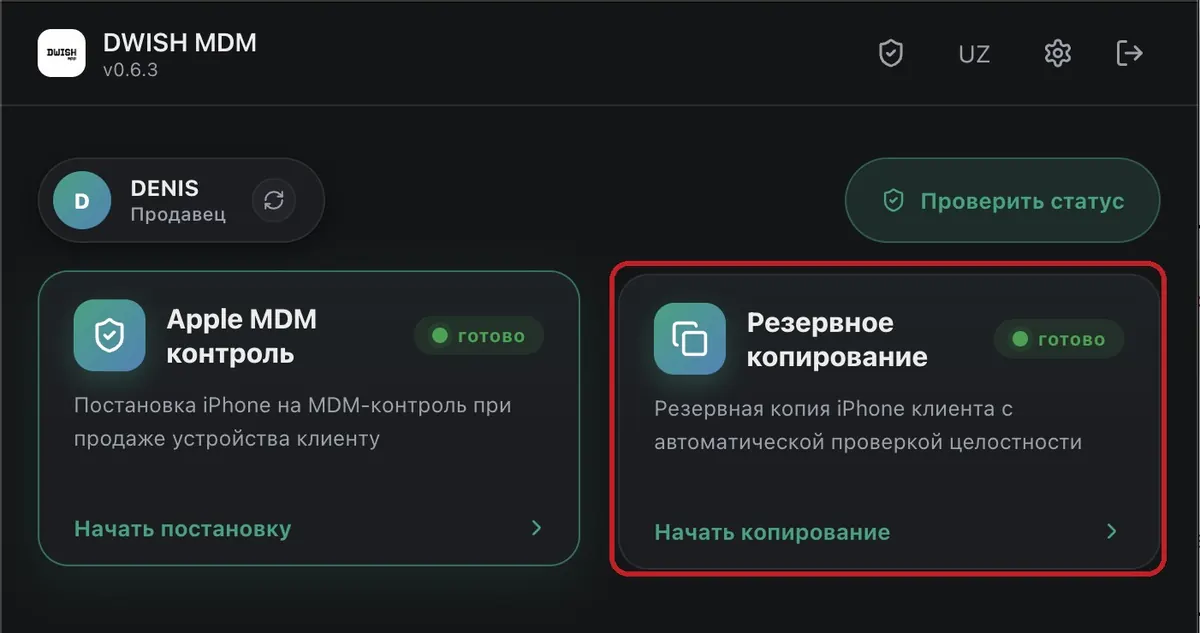
MAC · DWISH STATIONOpen the DWISH station on the Mac. There are two blocks on the home screen — choose “Backup” and press “Start Backup”. If the card is unavailable — the feature isn't enabled for your account, contact your administrator.
Connect the customer's OLD phone
IPHONE · IN HANDConnect the customer's old iPhone with a cable, unlock it, and on the phone itself press “Trust This Computer” (the phone will ask for the passcode).
Check the phone and press “Start”
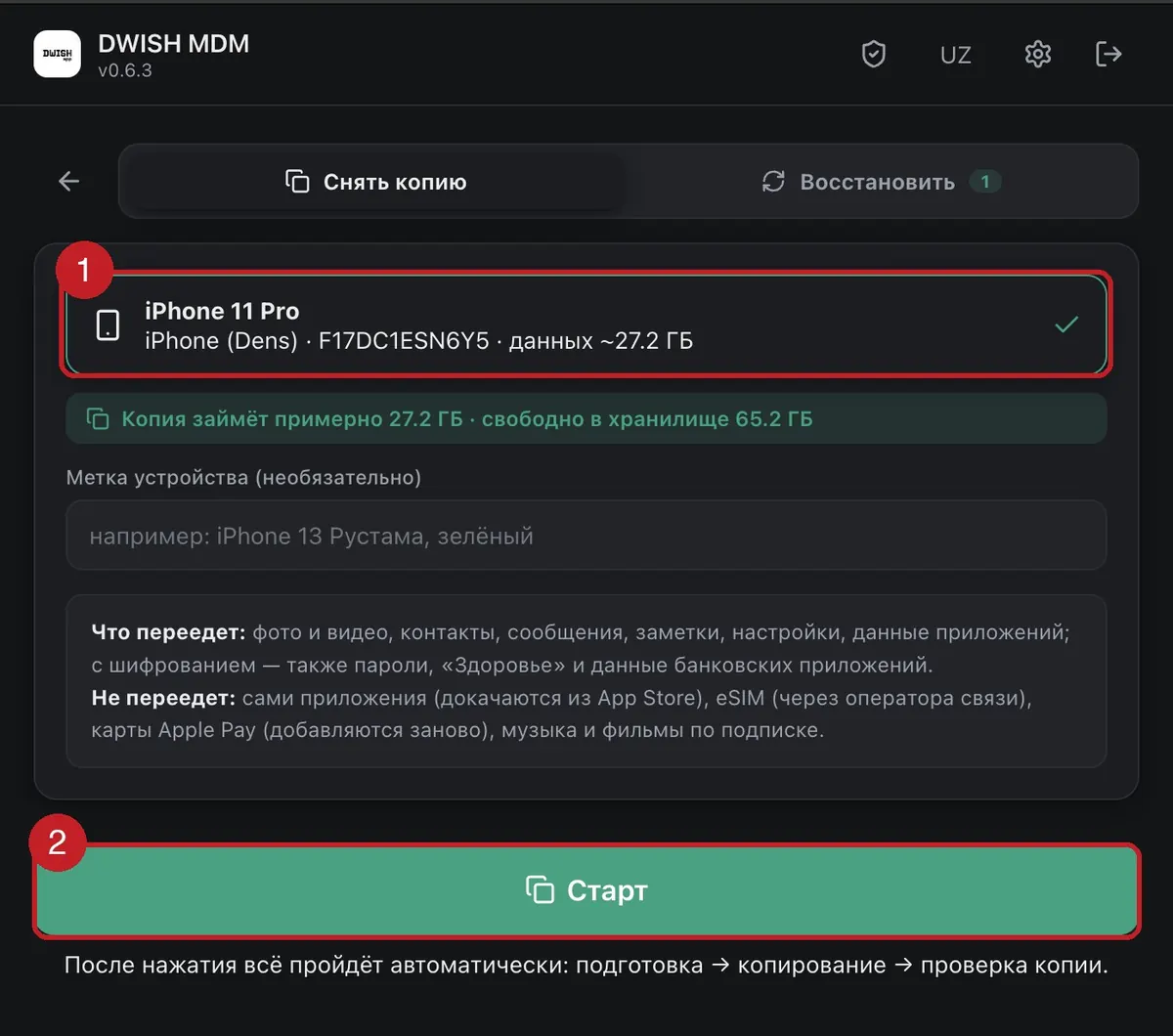
MAC · DWISH STATIONThe station will detect the phone automatically and show how long the backup will take — check that it's the customer's phone (1). Optionally add a label (“Rustam's iPhone 13, green”) to make the backup easier to find. Press “Start” (2).
Check the checklist and press “Begin”
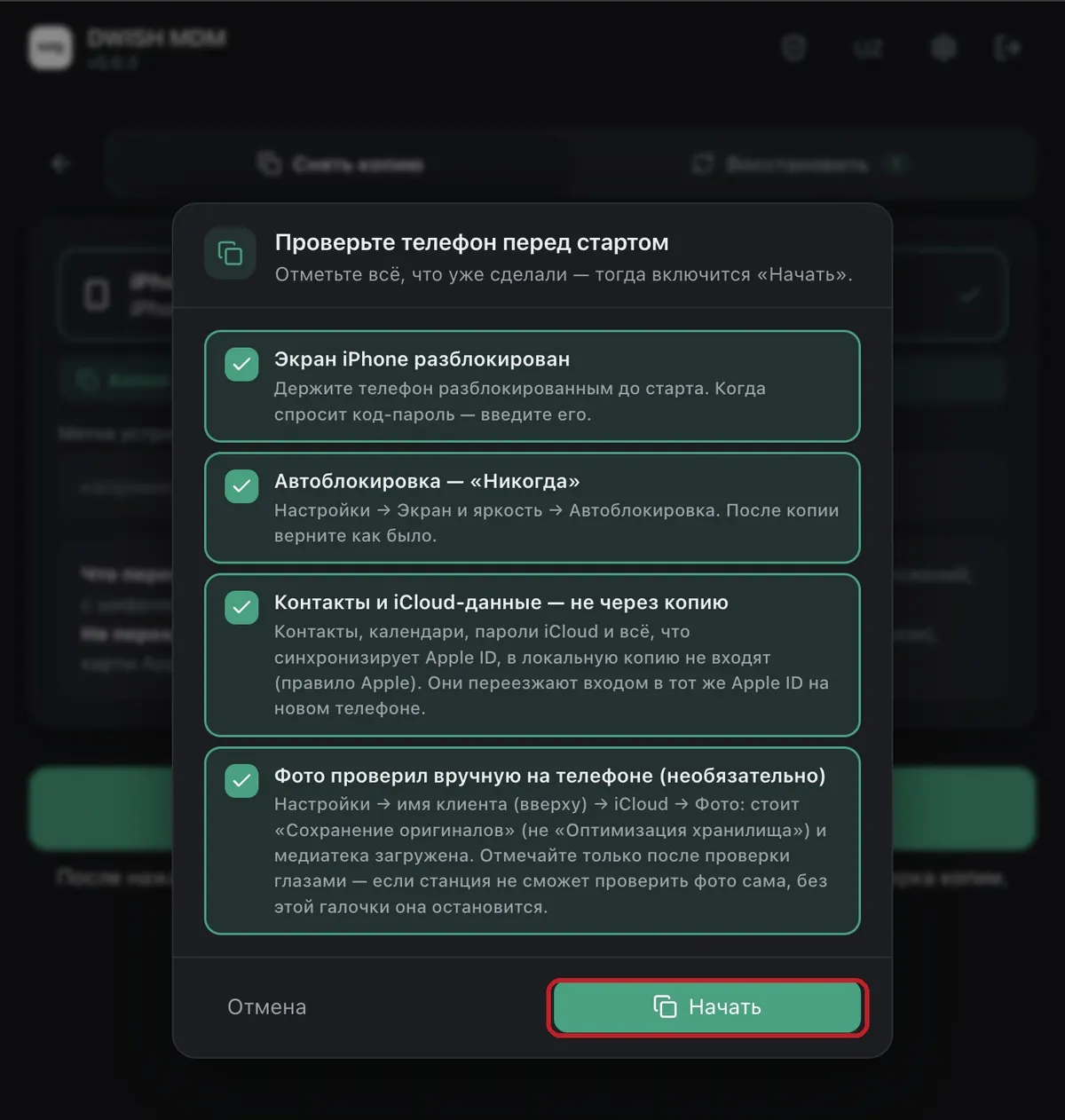
MAC · DWISH STATIONThe station will show a checklist for preparing the phone: screen unlocked, auto-lock set to “Never”, photos checked. Only tick items after you've actually verified them — then press “Begin”.
The process starts — enter the passcode and just wait
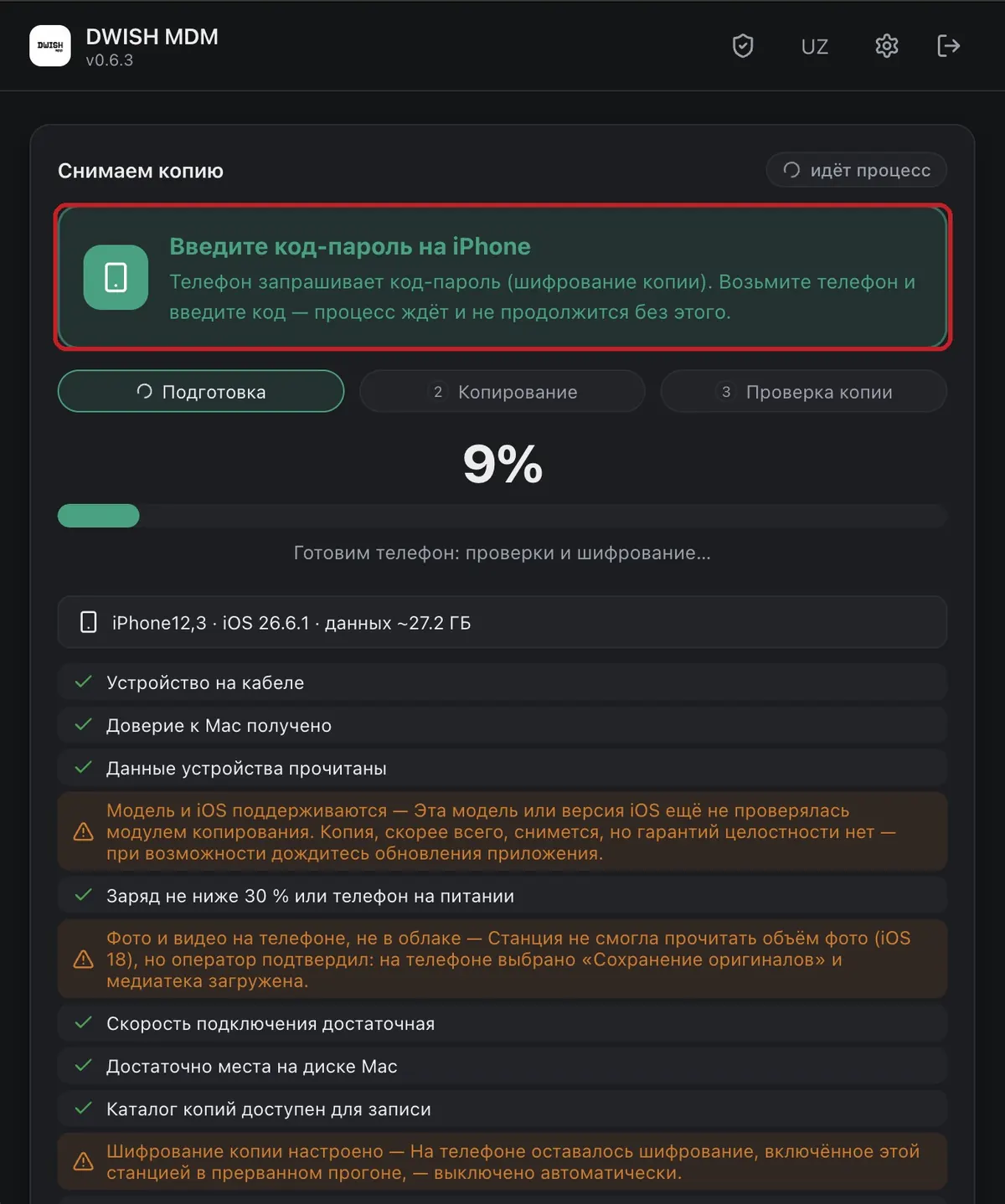
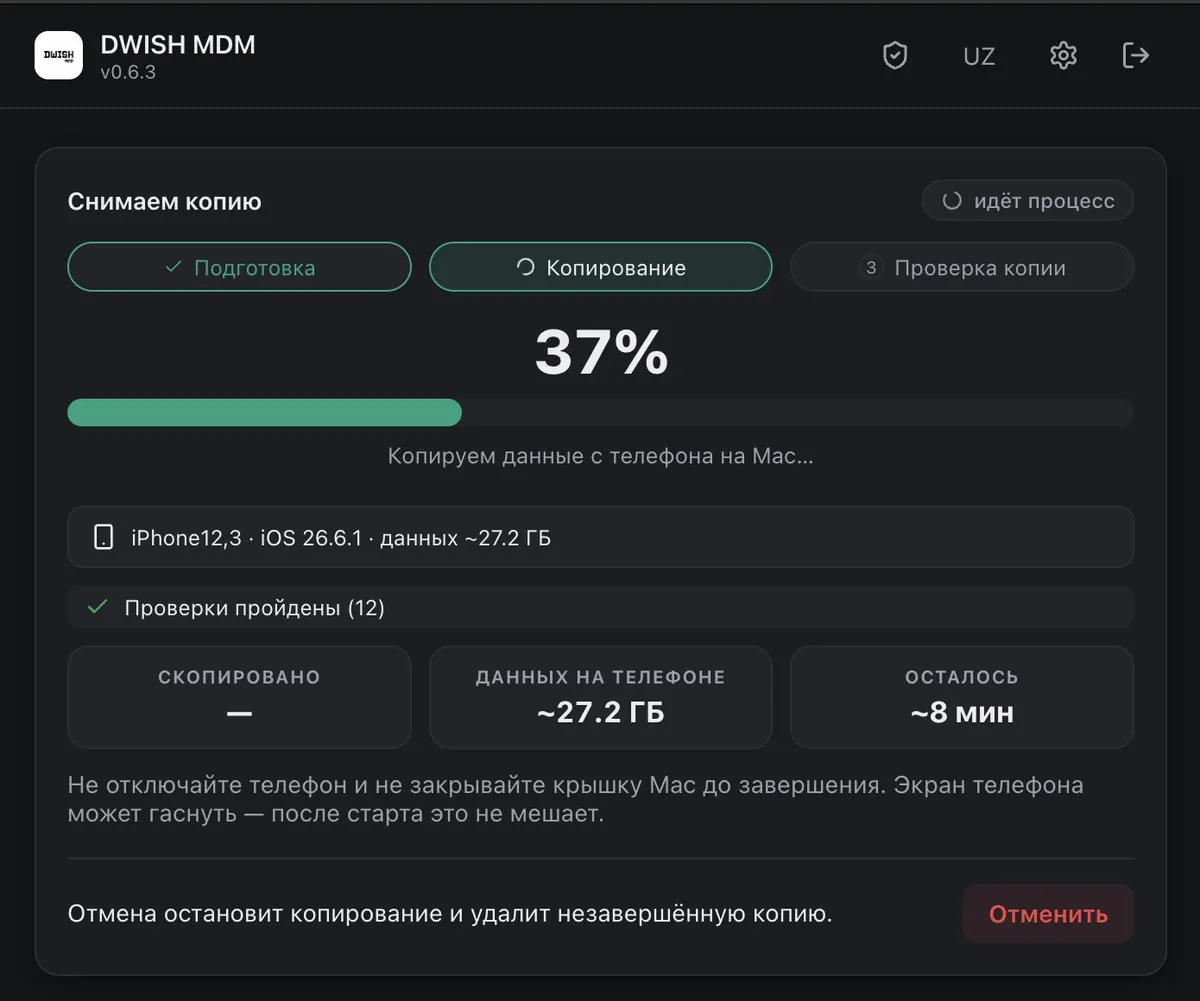
MAC · DWISH STATIONFrom here everything is automatic: preparation → backup → verification. At the start the iPhone will ask for the passcode (this is for backup encryption) — the process waits and won't continue without it: take the phone and enter the code. After that just wait — the screen shows progress and how much is left. Do not disconnect the phone or close the MacBook lid until it's done. The phone screen may turn off — that doesn't interfere.
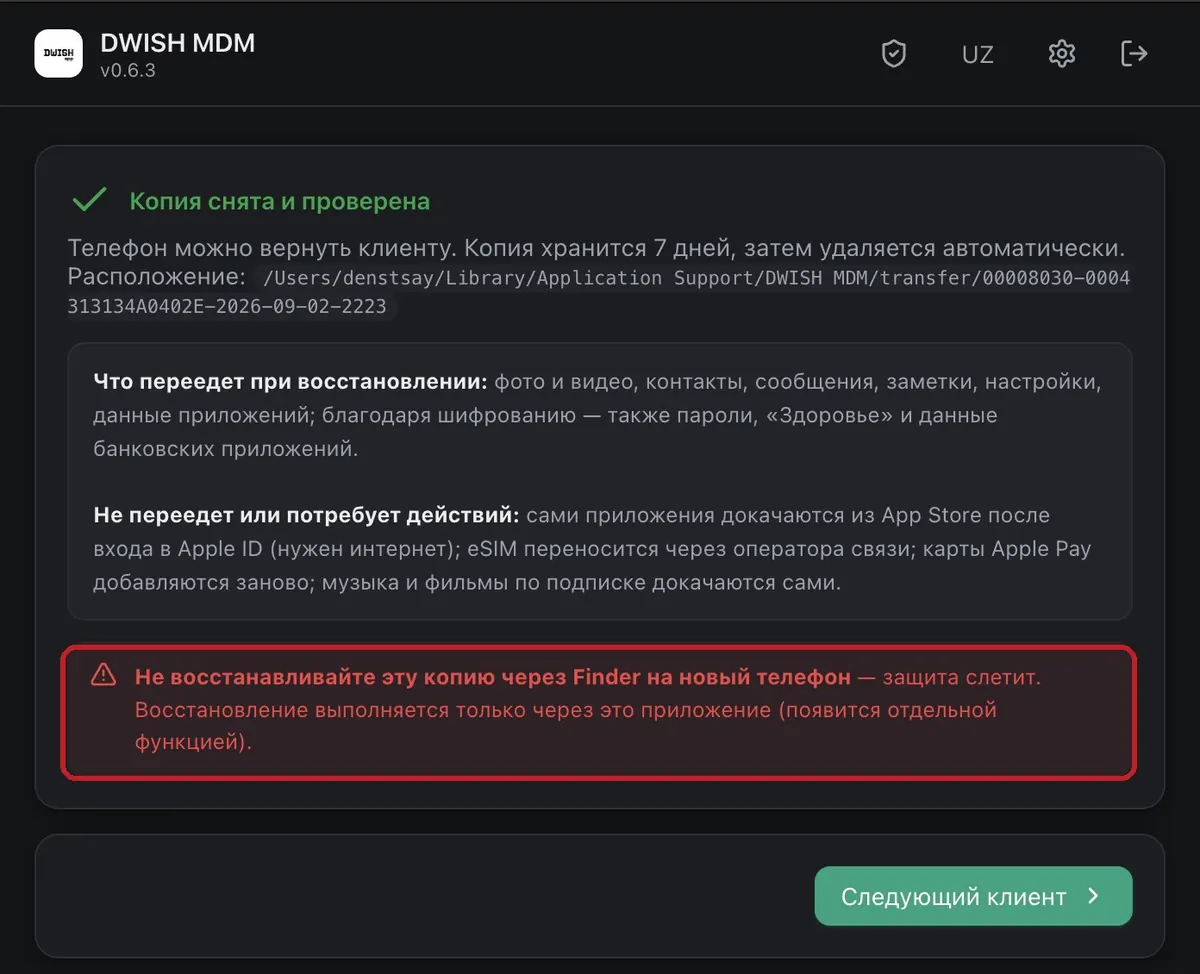
Backup taken and verified
MAC · DWISH STATIONThe station will check the backup's integrity itself and show a green result — the old phone can be returned to the customer. Do not restore this backup through Finder — only through the station (otherwise the protection will be lost).